What it does
The Feeding Planner helps with one decision: how much of this recipe to feed, and how big a batch to cook. It gives a starting point and you set the amount.
- Add your cat. Age, weight and body condition, once.
- Set daily calories. The planner gives a starting point. You set the final amount.
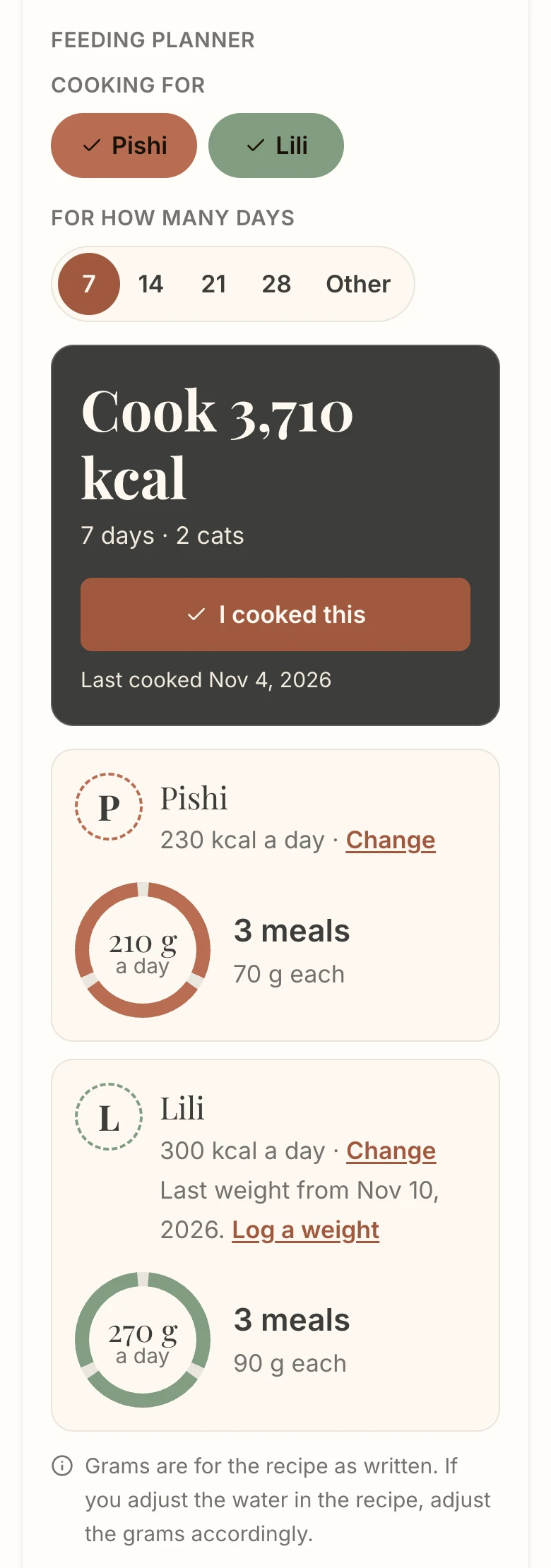
- Cook for your cats. On a recipe, choose the cats and the days. Every ingredient and supplement amount changes to that batch, and each cat gets a portion in grams.
What you need
- A plan, or a recipe you bought one at a time. The Feeding Planner comes with every plan, Library plans included.
- A recipe in your library. The planner scales recipes you can already see in full.
- Your cat's age and a recent weight. An age in months is enough if you do not know the date of birth.
The planner is for healthy cats from 8 weeks of age. It gives a starting point, not veterinary advice.
Add your cat
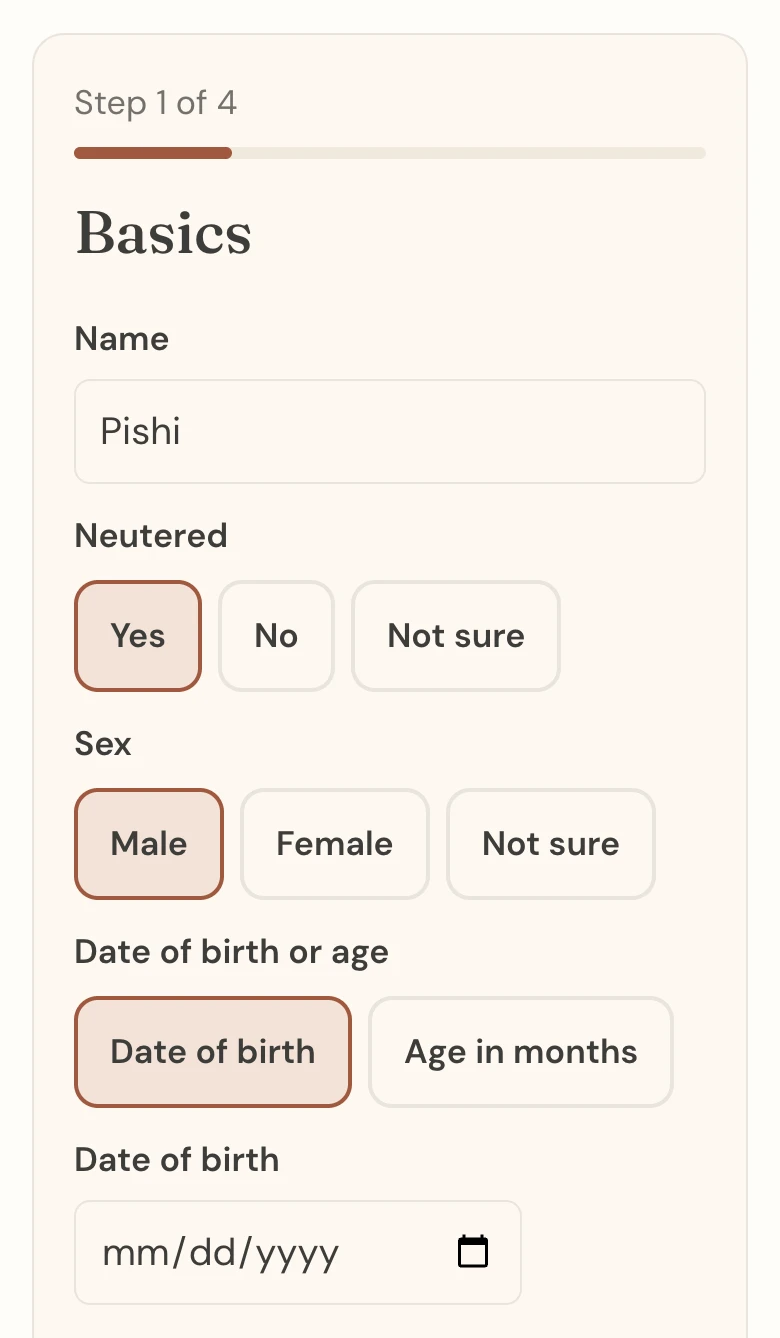
Open My cats from the account menu (the site menu on a phone) and choose "Add a cat". The form has four steps.
- Basics. Name, neutered or not, sex, date of birth or age, indoors or outdoors, and body type. "Not sure" is allowed where you do not know.
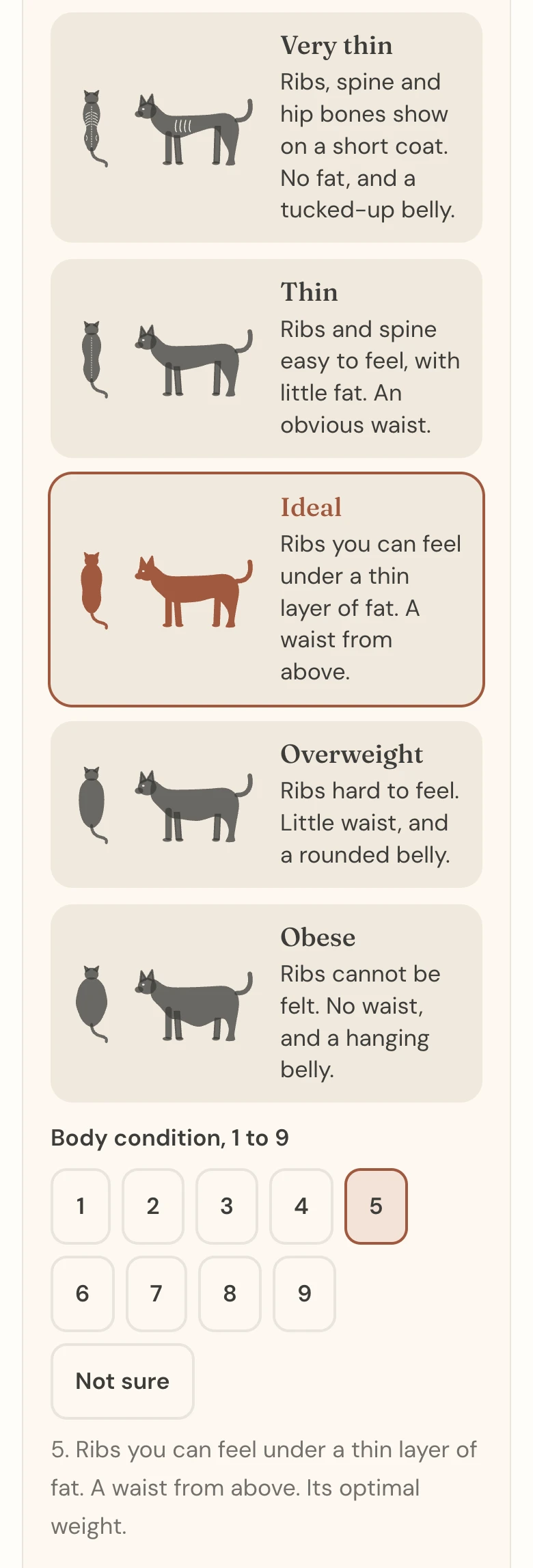
- Weight, condition and meals. The weight in kg or lb and the day you weighed. Then the body condition: pick the drawing that looks like your cat, from very thin to obese. Then meals a day, and any treats or other foods in kcal a day.
- Health statement. Confirm your cat is healthy, not pregnant or nursing, and not on a prescription diet, and agree to the Terms of Service. If your vet gave you a daily amount for this cat, choose that link here instead.
- Daily calories. The slider, explained next.
Set daily calories
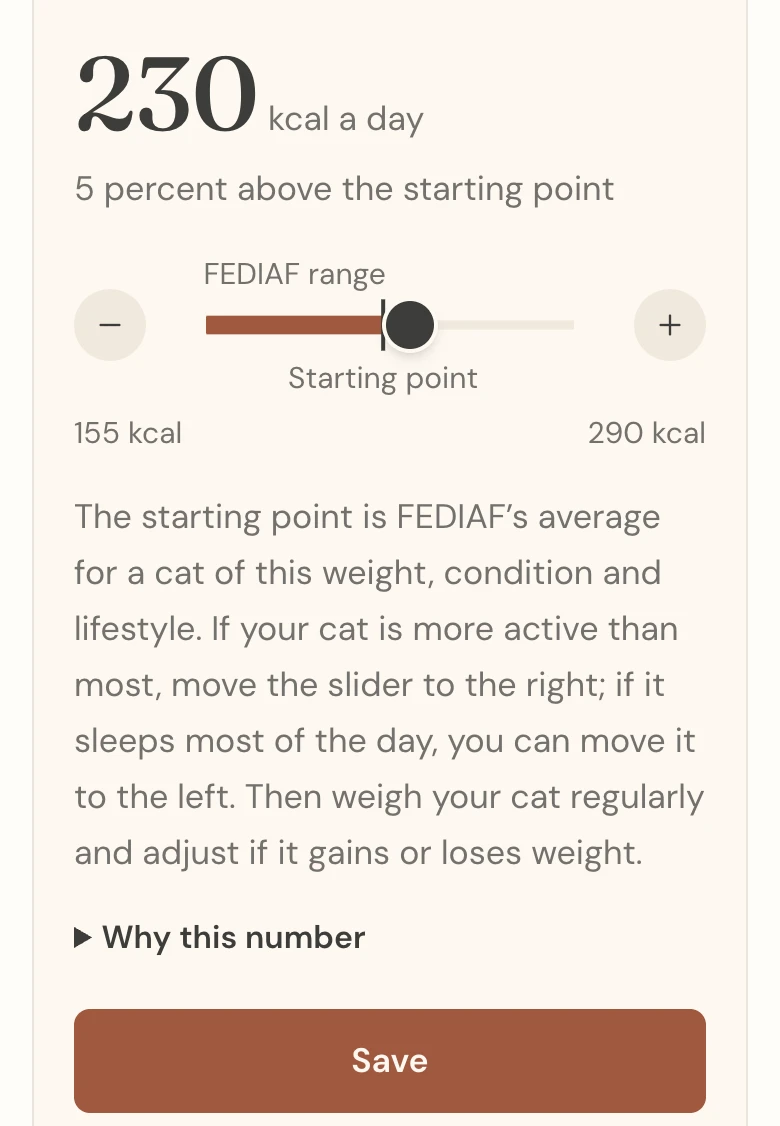
The number at the top is your cat's daily calories. The mark on the slider labelled "Starting point" is what the planner calculated from your cat's weight, body condition and lifestyle, following FEDIAF for adults and NRC for kittens. It is an estimate for an average healthy cat, and you set the final amount.
- If your cat is more active than most, move the slider to the right.
- If your cat sleeps most of the day, you can move it to the left.
- The line under the number tells you how far you are from the starting point.
- "Why this number" explains the calculation in plain sentences.
Choose "Save". You can change it any time from your cat's page.
For a cat above its ideal weight, the starting point is the need at a healthy weight, and the slider does not go lower.
If your vet gave you a number
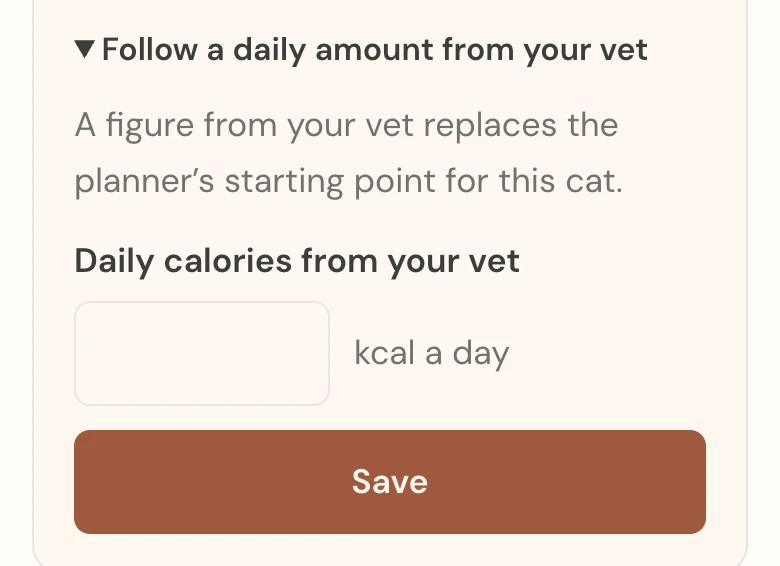
Open "Follow a daily amount from your vet" under the slider, enter the kcal a day and tick the statement that your vet gave it. The planner uses that figure as you entered it and does not check it. You can also enter your vet's ideal weight for an adult on the profile.
Plan a batch on a recipe
Open a meal recipe in your library. The Feeding Planner sits at the top of the Ingredients section.
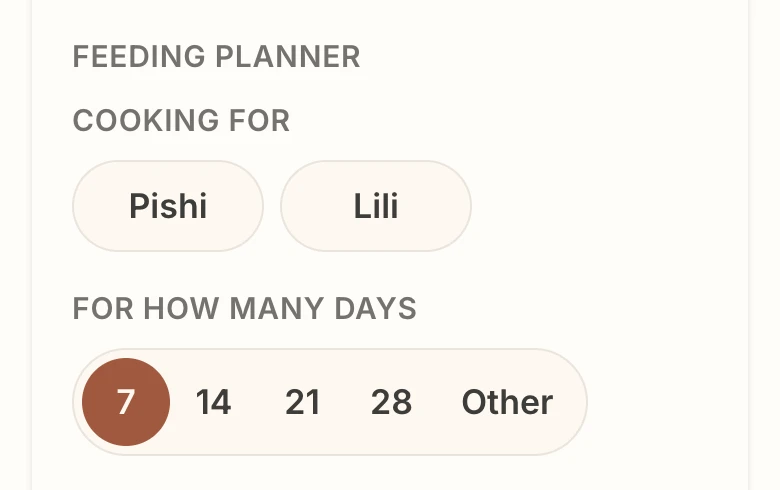
- Cooking for. Tap each cat this batch is for, up to six.
- For how many days. 7, 14, 21, 28, or "Other" for any number from 1 to 30.
- Read the result. The dark band shows the batch to cook. The whole ingredient list below it has already changed to that batch, supplements included, in the units you chose.
If you change the scale by hand afterwards, your number wins and the planner says "Scale changed by hand." Choose the cats or the days again to bring it back.
Portion and serve
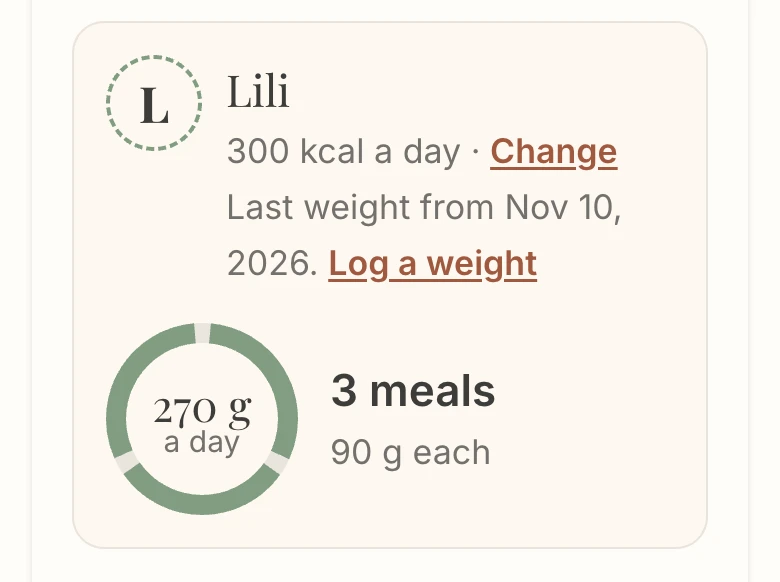
Each cat has a card: its daily calories, the grams a day in the ring, and the grams per meal beside it. Weigh each meal on your kitchen scale.
- For a recipe with an oil added at the bowl, the card shows the amount per meal.
- Treats and other foods you entered on the profile are taken off the recipe's share first.
- The grams are for the recipe as written. If you use more or less water, the same calories weigh more or less.
Several cats, one pot
Select every cat you are cooking for. The planner adds their daily calories into one batch and gives each cat its own portion. If one of them is a kitten, the page moves to the Kitten & Adult version and tells you so.
Small batches
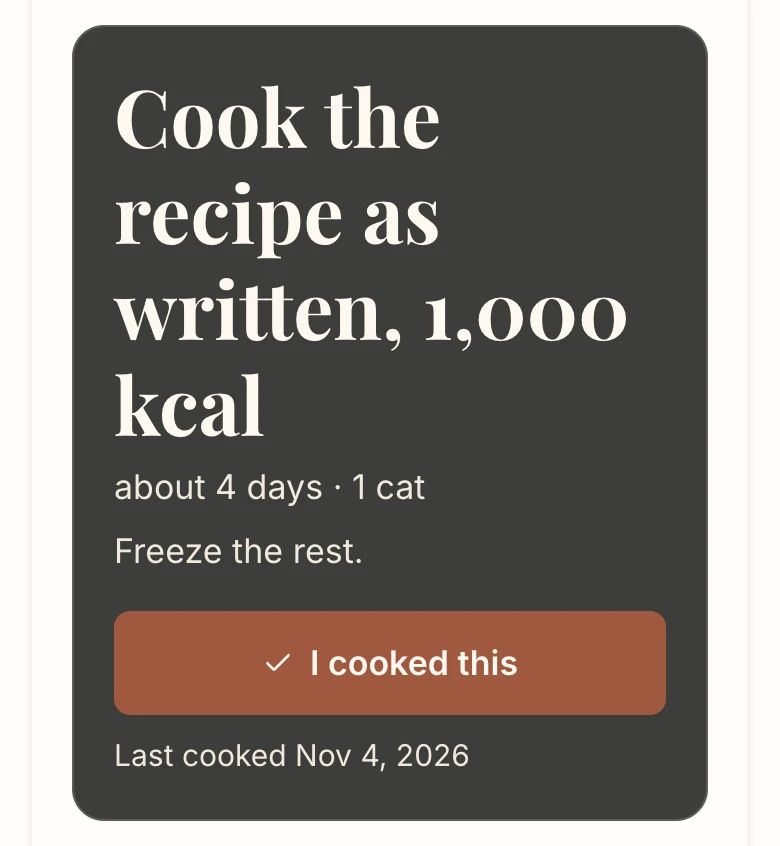
A recipe cannot be cooked below its written size. When your cats need less than that for the days you chose, the planner says "Cook the recipe as written", how many days it lasts, and "Freeze the rest."
Log the cook
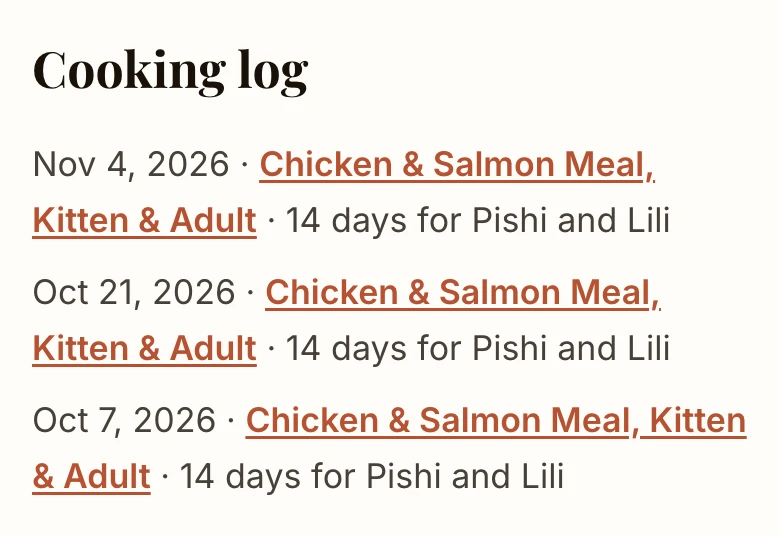
Choose "I cooked this" when the batch is done. My library keeps a cooking log: the date, the recipe, the days and the cats. Next time, the recipe shows when you last cooked it.
Weigh in
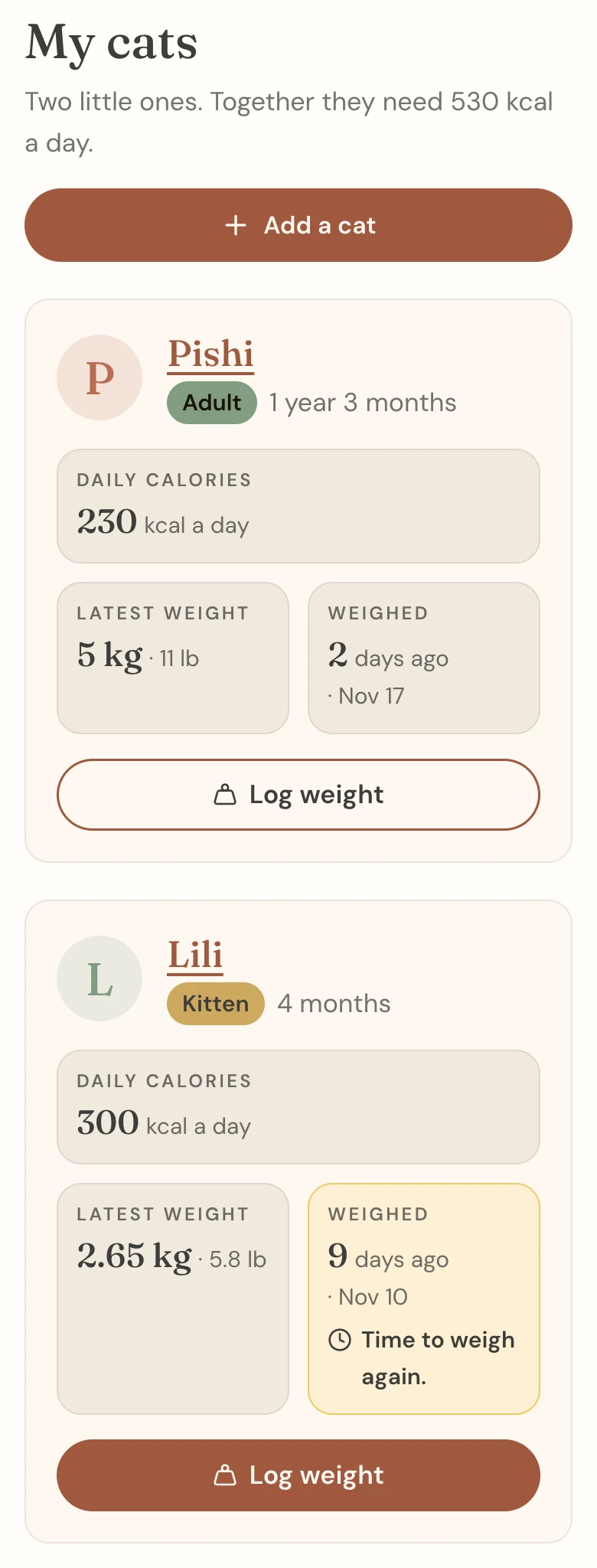
Weigh an adult every 30 days and a kitten every 7. My cats shows "Time to weigh again." when a weigh-in is due. The reminder shows on the site only: we send no emails about it.
Choose "Log weight", enter the weight and the day, and save. When you log a new weight, the planner recalculates the daily calories from your setting and shows you the new number to check. A daily amount from your vet stays as entered.
Read your cat's page
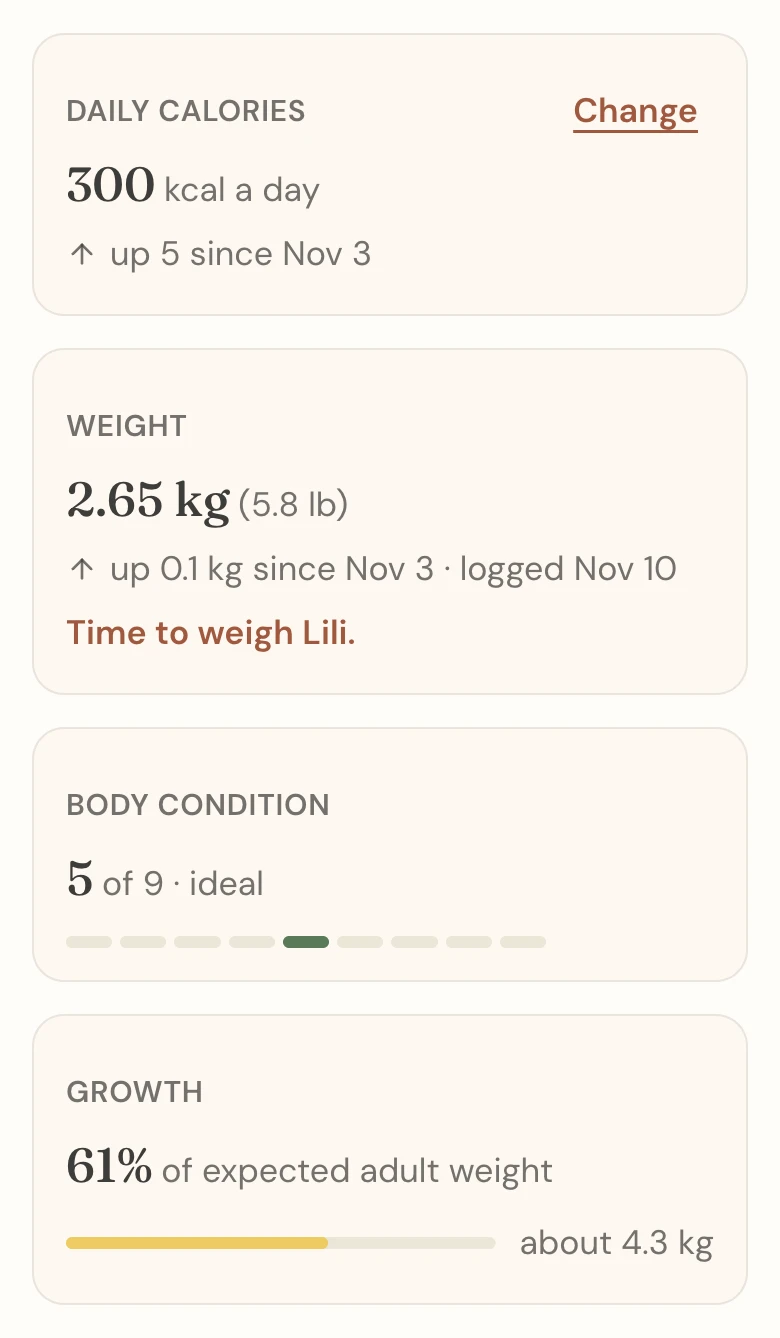
- Tiles. Daily calories and weight, each with its change since last time, and body condition.
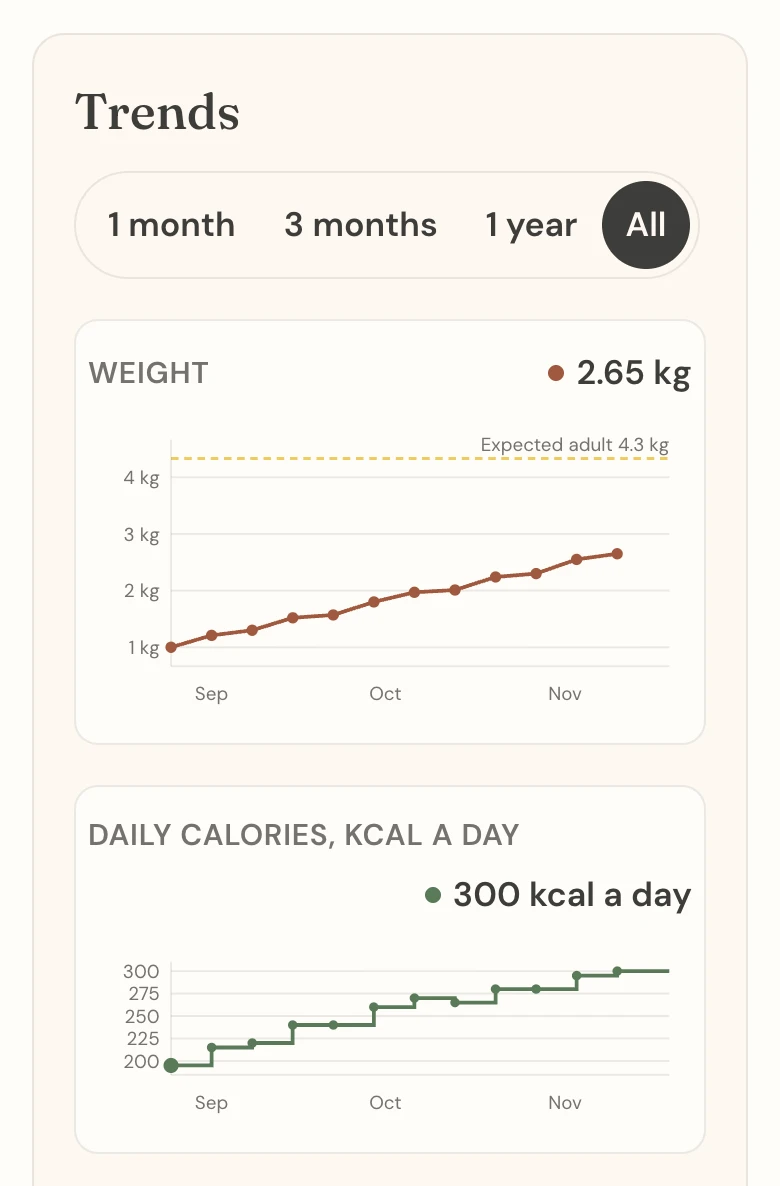
- Trends. A weight chart over a daily calories chart, on the same dates.
- Day history. One row per day, with the reason for each change, such as "Set by you" or "Updated for a new weight entry".
Past days keep their numbers. Correcting an old weight changes today onward.
Kittens
Leave "Expected adult weight" empty and the planner estimates it from growth standards for kittens, using your kitten's sex, age and latest weight. Enter a figure only if your vet gave you one. The estimate follows the growth standards of Salt and others (2022, CC BY 4.0) and their published dataset (German, Salt and Butterwick, 2021, CC BY 3.0). The Growth tile shows how far along your kitten is.
A kitten's daily calories are recalculated at every weigh-in, and at 4 and 9 months of age. Weigh every week, and check the new number each time. On the first birthday, My cats asks you to set adult daily calories.
When the planner steps back
- Very thin or very heavy cats. For a body condition of 1 to 3 or 9, the planner sets no calories. Ask your vet how much to feed, and enter that figure.
- Pregnant, nursing or ill cats, and prescription diets. The planner is not for them.
- Weight loss. The planner never feeds below a healthy cat's need. A weight-loss plan comes from your vet.
- Kittens under 8 weeks. The planner starts at 8 weeks.
If your plan ends
Your cats and their weight logs stay in your account, and you can still read them. Logging weights, editing and the daily calories come back with a plan. If you bought a recipe one at a time, you can use the Feeding Planner and My cats without a plan.
Questions
Does it work on a phone?
Yes. Every page works in your phone's browser. There is no app to install.
How many cats can I add?
Up to 20 on an account, and up to 6 in one batch.
I changed my cat's profile and the calories were cleared. Why?
A change to neutering, to indoors or outdoors, or to a date of birth that moves your cat across its first birthday changes the calculation, so the planner asks you to set daily calories again.
How do I remove a cat?
Open the cat's page and choose "Remove this cat". Its profile, weight log and calories history are deleted at once.